Managing New Trips
After you have completed a trip and it has appeared in the Mileage Log Trip screen, you can take the following actions:
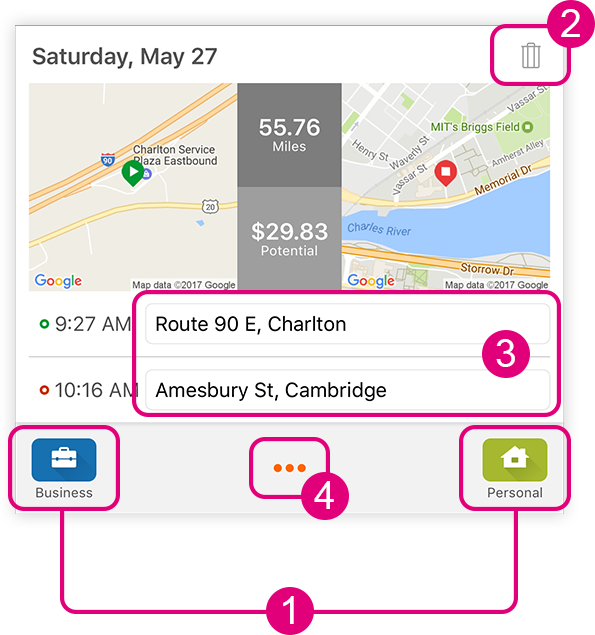
- Use the Quick Classify buttons to classify the trip with a single tap.
- Delete a trip by either:
- Tapping the trash icon.
- Swiping the trip log to the left of the screen.
- Edit the 'Address Alias' (the starting and ending destinations).
Heuristic search is supported, so when you start entering an address, matching locations will appear in a suggestion bar. - Add 'Trip Details'.
* NOTE: Refer to the 'Editing Trip Details' section for help about this page.
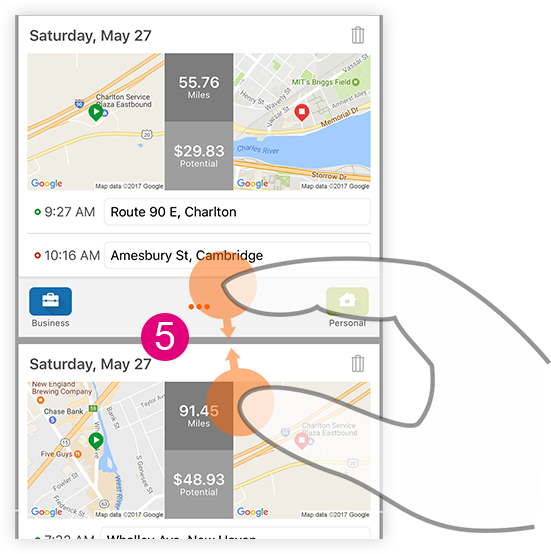
- Pinch together two trips to merge them.
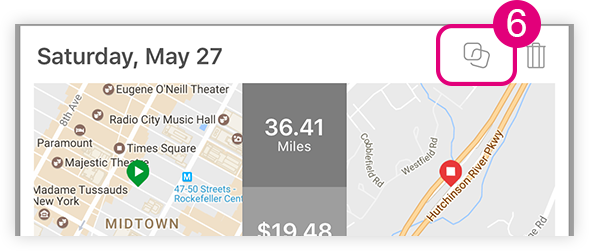
- Unmerge trips by tapping 'Unmerge Trips' button.